
Get Pricing
Back to product page

How to open the main menu
1 min read · Updated Apr 2020
4iE Smart WiFi Thermostat

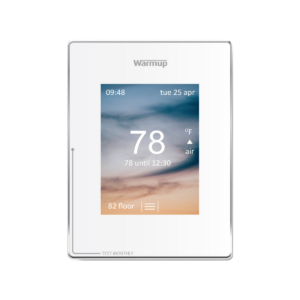
The main menu on the 4iE thermostat is accessed by pressing the lock if it is visable followed by the three dashed lines. Both symbols can be located in the bottom center of the screen. If for some reason the screen is not lit or responding, try a power cycle.

Related:

https://warmupedia.warmup.com/questions/turn-off-backlight-4ie-thermostat/

Quoting Tools: instant, accurate, flexible

Warmup offers an extensive range of electric floor systems compatible with all floor types, rooms and projects.

ⓘ Enter your first name.
ⓘ Enter your last name.
ⓘ Enter your phone number.
ⓘ Enter your postal code.
ⓘ Please enter a valid email address.
ⓘ Select at least one option.
Select a file or move here
Scroll to Top