
How Do I Identify Which Warmup Thermostat I Have?
Do you have a Warmup Thermostat but are unsure which model you have? Read this post to help identify which model you have installed.
6iE/7iE Warmup Thermostat
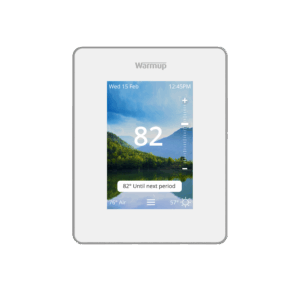
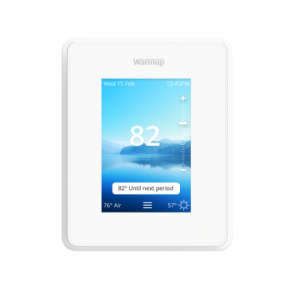
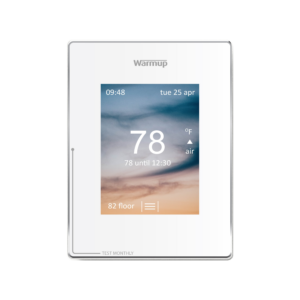
The 6iE and the 7iE look the same from the outside, but there are a couple of ways to differentiate them. Below is an image of what the face of the 6iE and 7iE looks like. Notable details include:
- The faceplate is white.
- The thermostat has a vertical/portrait orientation.
- The only marking on the thermostat around the screen is a silver “Warmup” logo.
- On the bottom left, there is a clear “Test” tab.
- On the thermostat’s home screen, there is a scroll bar with a “+” on the top and “-” on the bottom to manually adjust the temperature setting.
The 6iE was discontinued in mid-to-late 2025. If you have purchased a thermostat that fits the above physical description in late 2025 or beyond, it is likely a 7iE.
Differences Between the 6iE & 7iE
Even though the 6iE and 7iE have a similar outward appearance, there are 2 easy ways to determine which model you have:
1) On your thermostat, press the 3 bars at the bottom of the screen to access the menu. Next, press “Settings” and then “Network.”
- If you have a 6iE, you will see a QR code to scan to connect the thermostat to MyHeating.
- If you have a 7iE, you will see 2 buttons: “Connect with MyHeating App” and “Connect with Matter App.”
2) Remove the faceplate from your thermostat.
- If you have a 6iE, there will be no model number on the inside of the faceplate.
- If you have a 7iE, you will see “7iE” written in black on the inside of the faceplate.
Terra Warmup Thermostat
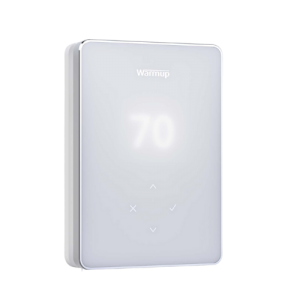
The Terra has a simpler, more contemporary design than the “iE” series of Warmup Thermostats. Notable details include:
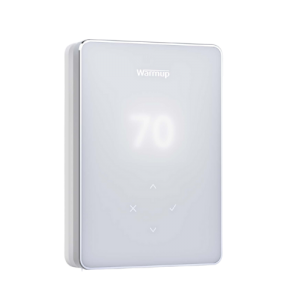
- The thermostat face is entirely white with a silver bezel.
- The thermostat has a vertical/portrait orientation.
- The Terra does not have a touchscreen.
- Below the display, there are 4 icons: an up arrow, a down arrow, a check mark, and an “X.”
EZPT Warmup Thermostat
The EZPT is a simple programmable thermostat that has both manual and heat programming capabilities. Notable details include:
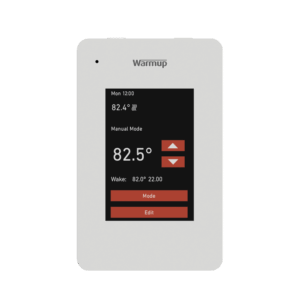
- Thermostat faceplate is white.
- The thermostat has a vertical/portrait orientation.
- The thermostat has a color touch screen display with red temperature control and setting buttons.
- There is an LED error indicator light in the top left corner of the thermostat.
RFT Warmup Thermostat
The RFT is a simple programmable thermostat with basic design and functionality and is discontinued. Notable details include:
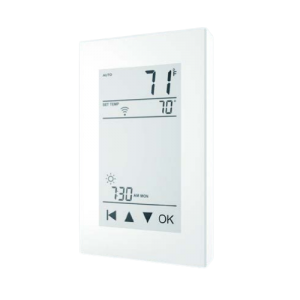
- Thermostat faceplate is white.
- The thermostat has a vertical/portrait orientation.
- The thermostat has a capacitive touch screen display with 4 touch screen buttons at the bottom: back, up, down, and “OK.”
- There is a heating indicator light in the top left corner of the thermostat.
4iE Warmup Thermostat
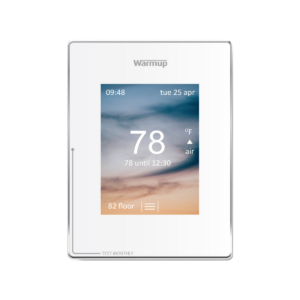
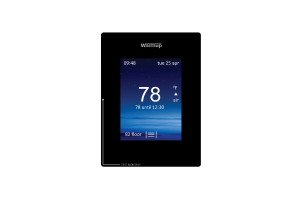
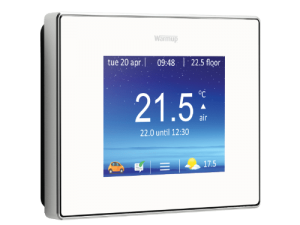
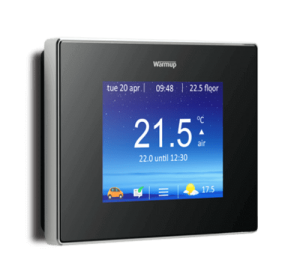
The 4iE is a touchscreen thermostat with multiple variations and is discontinued. The following features are present on all 4iE Thermostats:
- The thermostat says “Warmup” in silver writing above the touch screen.
- The thermostat says “Test Monthly” on the face with an arrow leading to the GFCI Test Button.
- There are no physical control buttons on the face of the thermostat.
There are a few variations with the 4iE Thermostats including:
- The thermostat face can be either white or black.
- The thermostat orientation can be either vertical/portrait or horizontal/landscape.
- The thermostat can be either WiFi Enabled or Non-WiFi.
How to Tell if a 4iE is WiFi or Non-WiFi
You can determine whether or not your 4iE Thermostat is WiFi enabled by navigating to the device’s “About” section. If you see a device number written, the 4iE is a WiFi thermostat. If you do not see a device number written, the 4iE is a Non-WiFi thermostat.
3iE Warmup Thermostat
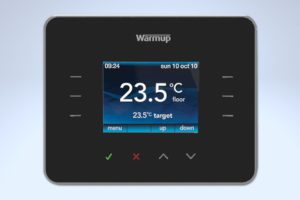
The 3iE is an older Smart Thermostat and is discontinued. Notable details include:
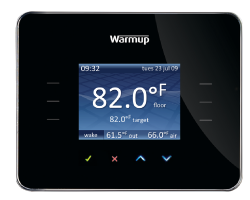
- Thermostat faceplate is black or white by default but can be customized to various colors with different lenses.
- There is a silver “Warmup” logo above the screen.
- The thermostat has a horizontal/landscape orientation.
- The screen is not touch-compatible and there are 4 control buttons below the screen: a check mark, an “X”, an up arrow, and a down arrow.
Tempo Thermostat
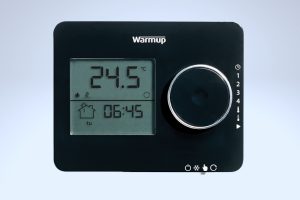
The Tempo is a basic programmable thermostat and is discontinued. Notable details include:
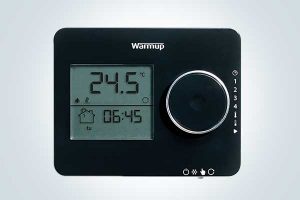
- Thermostat is entirely black with an LED screen on the left and a dial on the right.
- The thermostat has a horizontal/landscape orientation.
- There is a white “Warmup” logo above the screen & dial.
- Temperature is adjusted manually using a dial to the right of the screen.
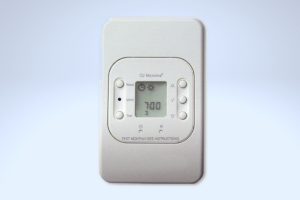
UCCG-4991 Thermostat
The UCCG-4991 is a basic programmable thermostat and is discontinued. Notable details include:
- Thermostat is entirely white with a small LED screen in the center.
- The thermostat has a vertical/portrait orientation.
- There are 5 control buttons to the left and right of the screen.
- There is an “OJ Microline” Logo above the center screen.
WUDG Thermostat
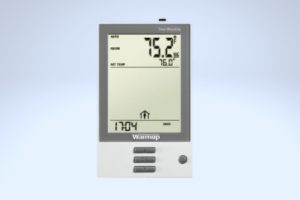
The WUDG is a basic programmable thermostat and is discontinued. Notable details include:
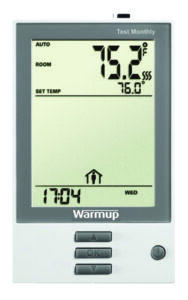
- The thermostat face is mostly white with a gray bezel around the LED screen.
- The thermostat has a vertical/portrait orientation.
- There are 3 gray, rectangular control buttons below and one circular button to the right.
- There is a white “Warmup” Logo below the screen.
TH115 Thermostat
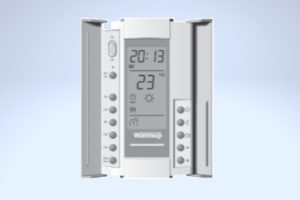
The TH115 is a basic programmable thermostat and is discontinued. Notable details include:
- The thermostat is mostly white with a gray bezel around the LED screen and 2 doors that cover the buttons on the sides of the thermostat.
- The thermostat has a vertical/portrait orientation.
- There are multiple gray, round buttons on either side of the screen.
- There is a white “Warmup” Logo below the screen.
For Further Assistance
For videos with tutorials on how to use your Warmup Thermostat, check out our YouTube Channel.
If you have any additional questions or concerns, please don’t hesitate to reach out to us. Our support team is available to assist you and address any inquiries you may have. To access our support services, simply call us at (888) 927-6333.