
Get Pricing
Back to product page

How do I connect my 4iE to WiFi?
1 min read · Updated Apr 2020
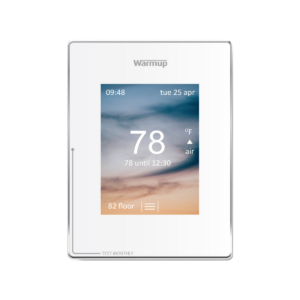
4iE Smart WiFi Thermostat

To connect your 4iE to WiFi follow along to the below clip or instructions.

  1. Select the 3 lines to reveal your main menu
  2. Select settings
  3. Select Network
  4. Highlight your network
  5. Input password
  6. Press OK (if you can not press OK, the password is incorrect)
  7. Wait for “Connection Successful”
  8. Press OK


Related post:

https://warmupedia.warmup.com/questions/4ie-connect-to-internet/

https://warmupedia.warmup.com/questions/how-do-i-register-a-4ie/


Quoting Tools: instant, accurate, flexible

Warmup offers an extensive range of electric floor systems compatible with all floor types, rooms and projects.

ⓘ Enter your first name.
ⓘ Enter your last name.
ⓘ Enter your phone number.
ⓘ Enter your postal code.
ⓘ Please enter a valid email address.
ⓘ Select at least one option.
Select a file or move here
Scroll to Top