
If your floor temperature reading varies significantly from the actual temperature of the floor, it could indicate an issue with how the sensor probe was installed. Continue reading to learn how to identify and fix the error.
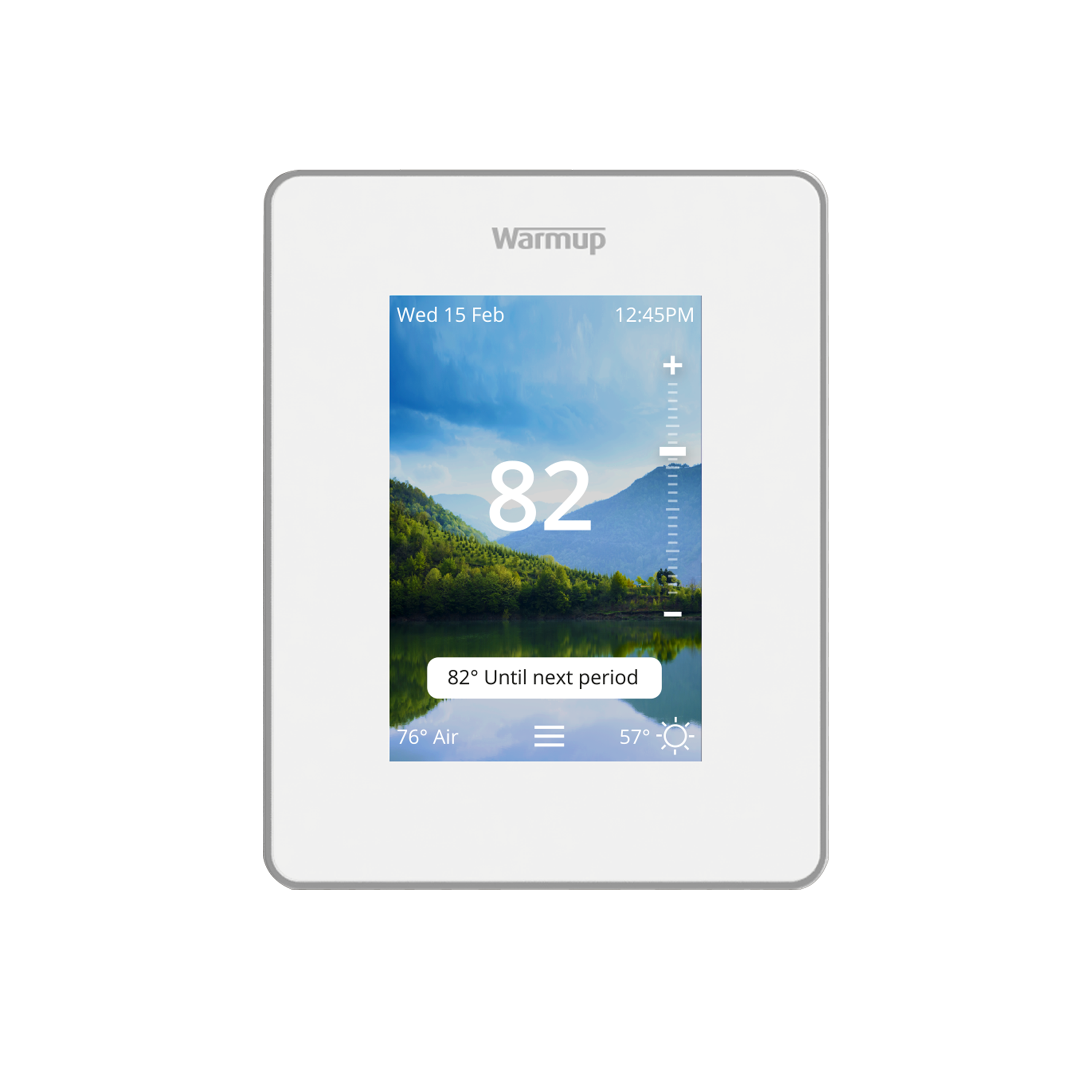
7iE Smart Matter Thermostat
Home / Thermostats
The 7iE features advanced Matter technology to seamlessly integrate your heating within your Smart home ecosystem through the use of any Matter-connected device in your home, including Apple Home, Google Home, and Amazon Alexa. This technology allows you to control your heating with just the sound of your voice or set up simple routines from one universal platform, making heating your home an effortless experience. Comes with a 12-Year warranty.
Discover why your floor heat is not working despite there being no error messages showing on your thermostat. This guide explains common causes of heating issues and troubleshooting tips to restore your system.
Do you have a Warmup Thermostat but are unsure which model you have? Read this post to help identify which model you have installed.
Learn how to connect your Warmup 7iE Smart Thermostat to Apple Home with Matter.
Learn how to connect your Warmup 7iE Smart Thermostat to Amazon Alexa with Matter.
Learn how to connect your Warmup 7iE Smart Thermostat to the MyHeating App.
Learn how to change the background on your Warmup 7iE Smart Thermostat.
Learn how to change the background of your Warmup 7iE Smart Thermostat to a custom image using the MyHeating App.
Learn how to test the GFCI and identify a GFCI error on your Warmup 7iE Smart Thermostat.
Learn what the Triangle Exclamation Mark icon on your Warmup 7iE Smart Thermostat means and how to clear the icon.
Learn how to turn the WiFi on your Warmup 7iE Thermostat off to use the thermostat entirely manually.
Learn which floor probe usage is most suitable for your Warmup 7iE Thermostat and how to change the floor probe usage settings.
Learn what the ER1 Error means on a Warmup 7iE Thermostat and how to resolve the error.
Learn what the ER2 Error means on a Warmup 7iE Thermostat and how to resolve the error.
Learn how to control the window detection on your Warmup 7iE Smart Thermostat.
Learn how to manually set the date and time on your 7iE Thermostat.
If you recently installed a 7iE in your home or performed a reset to your 7iE, you will be prompted to go through the initial programming. The 7iE initial programming is important and we hope that this post will assist you in properly setting up your thermostat.
Learn how to set up password protection on your Warmup 7iE Smart Thermostat.
Learn how to change the setback temperature on your Warmup 7iE Smart Thermostat.
Learn how to change the temperature format on your Warmup 7iE Smart Thermostat to either Celsius or Fahrenheit.
Learn how to both set and delete a weekly programming schedule on your Warmup 7iE Smart Thermostat.
Learn what the lock icon on Warmup’s 7iE Thermostat means and how to clear it.
Learn how to change the brightness of the screen on your Warmup 7iE Thermostat.
Learn how to set a night period on your Warmup 7iE Smart Thermostat to automatically dim the screen at night.
Learn how to override the heating limit associated with the selected floor type on your Warmup 7iE Thermostat.
Learn how to set your 7iE Thermostat to Manual Mode to control your heating manually.
Learn how to easily remove the faceplate off of your Warmup 7iE Smart Thermostat.
Learn how to turn heating off on your Warmup 7iE Smart Thermostat.
Learn how to override the current programming on your 7iE Thermostat to temporarily increase the temperature of the floor.
Discover how to tell when your Warmup 7iE Smart Thermostat is heating the floor with the Heating Indicator.
If you already have a Warmup Thermostat installed and would like to replace it with the 7iE Smart Thermostat, you can easily do so. The 7iE Thermostat is compatible with all Warmup Electric Underfloor Heating Systems.
Learn how to reset your Warmup 7iE Smart Thermostat through the thermostat’s settings.
Curious about what types of heating systems Warmup’s 7iE thermostat is compatible with? Find your answer here in this post!
Wondering about the maximum load of the Warmup 7iE thermostat? Find the information you are looking for here in this post.
Are you looking for the dimensions of Warmup’s 7iE Smart Thermostat? Find a detailed diagram with dimensions in this post.
Do you have a previous version Warmup thermostat that you’d like to upgrade to the 7iE? Learn all you need to know in this post.
The open window function is a setting on your thermostat that will detect when a nearby window is open, letting in outside air and will adjust the temperature accordingly. TRIGGER ON: A Windows open event is triggered by a 5°C drop in temperature within any 15-minute period. When a Windows open event is detected, […]
Matter, previously known as Project Connected Home over IP (CHIP), is now compatible with Warmup’s new 7iE floor heating thermostat. Click to learn more.
The clicking noises are the relay opening and closing to let the power through to the heating system. While it should be hardly noticeable, it can be reduced by insulating the surrounding of the electrical box in which it is mounted. You should also ensure that the screws mounting both the box and the thermostat are tight.
That “Ground Fault” error on your thermostat after several years could indicate your floor heating system had been damaged during installation. Click “Read More” to learn why.
Are you installing a Warmup thermostat and looking for mounting information? Find the mounting diagrams you need here in this post.
It is vital that the floor heating thermostat’s floor probe was not only installed but done so the right way. Click “Read More” for details.
Bathroom Collection
- 3iE Energy-Monitoring Thermostat
- 4iE Smart WiFi Thermostat
- DCM-PRO Cable
- DCM-PRO Fleece-Back Membrane
- DCM-PRO Peel-And-Stick Membrane
- DCM-PRO Waterproofing Kit
- Loose Wire – NADWS
- Mirror Defoggers
- StickyMat System – DWM
- Tempo Thermostat
- TH115 Floor Heating Thermostat
- Towel Warmers
- UCCG-4991 Floor Heating Thermostat
- Ultralight Insulation Boards
Floor Heating
- DCM-PRO Cable
- DCM-PRO Fleece-Back Membrane
- DCM-PRO Peel-And-Stick Membrane
- DCM-PRO Waterproofing Kit
- Dual Cable Tester
- Fixing Band
- Foil Heating System – FOIL
- Loose Wire – NADWS
- StickyMat System – DWM
- Ultralight Insulation Boards
- Warmup Inslab Cable – INSLAB
- Watchdog
Insulation
Outdoor Controllers
- APS-3C
- CDP 2 Remote Control
- COMMBOX-600
- DS 5 Outdoor Snow Melting Controller
- DS 8 Outdoor Snow Melting Controller
- DS 9 Outdoor Snow Melting Controller
- DS-2C Outdoor Snow Melting Controller
- ETO2 Snow and Ice Melting Controller
- ETO3 Outdoor Snow Melting Controller
- GF-PRO
- PRO-REMOTE
- SNOPRO-100 Series
- TRF115-005 Roof & Gutter Deicing
- WSM-252W Smart WiFi Panel
- WSM-63 Relay Timer Panel
Outdoor Sensors
Pipe Trace
Repairs
- Digital multimeter
- Infrared Thermal Camera
- Megger (acc-megg)
- Repair – Outdoors
- Repair Kit – End Cap
- Repair Kit – Joint
- Repair Kit – Wire
- TDR Meter Cable Tester
Snow and Ice Melting
- Dual Cable Tester
- Self-Regulating De-Icing Cable – SRK
- Snow Melting Cable – WSM
- Snow Melting Mat – WSMM