
How to Set a Night Period on my 7iE Thermostat
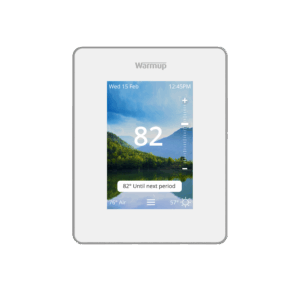
If you want to set a Night Period on your 7iE Thermostat to automatically dim the screen at night, you can do so through the Device Settings menu.
Video Instructions
The video below will visually walk you through the process of setting up a Night Period on your 7iE Thermostat:
Written Instructions
To set up a Night Period on your Warmup 7iE Smart Thermostat, start by pressing the 3 bars at the bottom of the screen to access the menu. Next, press “Settings” and then “Display.”
In the Display Menu, press the “Night Period” option. A pop up will appear with 2 settings to adjust: Start and End.
- Start: This setting will determine when the Night Period will begin.
- End: This setting will determine when the Night Period will end.
Once you have selected the desired time frame for the thermostat’s Night Period, press “Accept” to save your chosen settings. Then, press the “Back” button to return to the home screen.
With the Night Period set, you can now control the brightness of the screen during the chosen time frame.
For Further Assistance
For more 7iE Instructional Videos, check out our playlist on YouTube.
If you have any additional questions or concerns, please don’t hesitate to reach out to us. Our support team is available to assist you and address any inquiries you may have. To access our support services, simply call us at (888) 927-6333.