
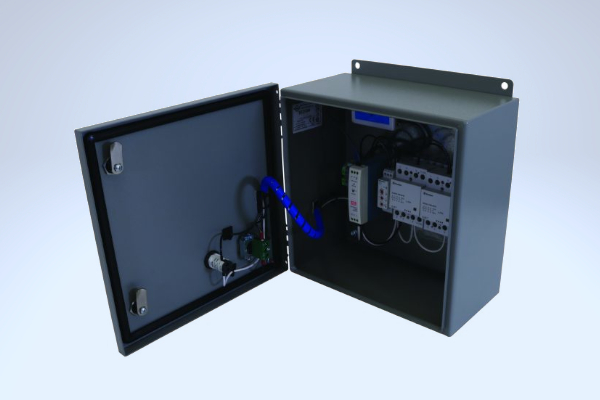
WSM-252W Smart WiFi Panel
Choose a category
Questions & Answers
Select a category to filter the available help articles.
1 How do I reset the WiFi relay on a WSM snow melting controller?
Do you need to reset the WiFi on your Warmup snow melting controller? This post will take you step by step.
Learn more2 Can I delete a WSM in the application?
If you've added a WSM in the app that you'd like to remove you can find instructions here for how to do so.
Learn more3 What should I do if I change my WiFi settings at home and my WSM is not online anymore?
If your WSM has lost internet connection you can read more here on how to get it back up and running.
Learn more4 How do I perform a factory reset on the WSM ?
You may find that you need to do a factory reset to your WSM. If this is the case, read along here to find out how.
Learn more5 How do I connect my WSM-252W to WiFi?
Looking for help connecting your WSM-252W to WiFi? Follow along here for support.
Learn more6 How much accumulation can a snow melting system handle?
Are you wondering how much snow fall a snow melting system can handle? Read more about snow melting technology here.
Learn more7 What are the differences between the old WSM version (before 2020) and the new?
The functionalities are identical, but the second version has a different WiFi chip that offers a better range.
Learn more8 Can I reset my password?
Are you looking to reset your password on the WSM-252W? Read more here.
Learn more9 I can’t add a new WSM in the app
Are you having issues connecting your WSM-252W to WiFi? Read here to find a solution.
Learn moreStill need help?
Our support team is here to help you.